

-
 March 20, 2025
-
0 Comments
-
By
satyaitsolution


 By
By Alternative Akruti Odia Keyboard – The Best Typing Solution for Odia Users
The Odia language holds a rich cultural and historical significance in India, and with the increasing need for digital communication, having an efficient Odia typing tool is essential. Whether you are a student, professional, government official, or writer, the Alternative Akruti Odia Keyboard is an excellent solution for seamless Odia typing.
This blog explores the features, benefits, and usability of the Alternative Akruti Odia Keyboard and provides a direct link for users to access it.
Why Use the Alternative Akruti Odia Keyboard?
Odia typing can be challenging, especially for those who are not familiar with standard keyboard layouts. The Alternative Akruti Odia Keyboard simplifies the process by offering an intuitive interface, making it easier to type in Odia quickly and accurately.
Key Benefits:
✔ User-Friendly Interface – Even beginners can type Odia efficiently.
✔ Multiple Font Support – Works with different Odia fonts for diverse applications.
✔ Fast & Accurate Typing – Reduces errors and enhances productivity.
✔ Compatible with Various Applications – Can be used for official documents, social media, and personal projects.
✔ No Need for Special Training – Easy to learn and use.
Features of Alternative Akruti Odia Keyboard
The Alternative Akruti Odia Keyboard is designed to make typing easier and more efficient. Here are some of its standout features:
1. Multiple Odia Keyboard Layouts
This tool supports various keyboard layouts, including Phonetic, Inscript, and Remington, allowing users to choose a layout they are comfortable with.
2. Seamless Typing Experience
Unlike traditional keyboards, this software enables smooth and efficient Odia typing, reducing errors and increasing speed.
3. Wide Font Compatibility
The keyboard is compatible with popular Odia fonts such as:
- Saraswati
- Kruti Dev Odia
- Akruti Odia
- Unicode Odia Fonts
4. Ideal for Various Users
- Government Officials – Preparing documents in Odia.
- Students – Writing assignments and research papers.
- Writers & Bloggers – Creating content in Odia for websites and books.
- Social Media Users – Typing Odia text easily for posts and messages.
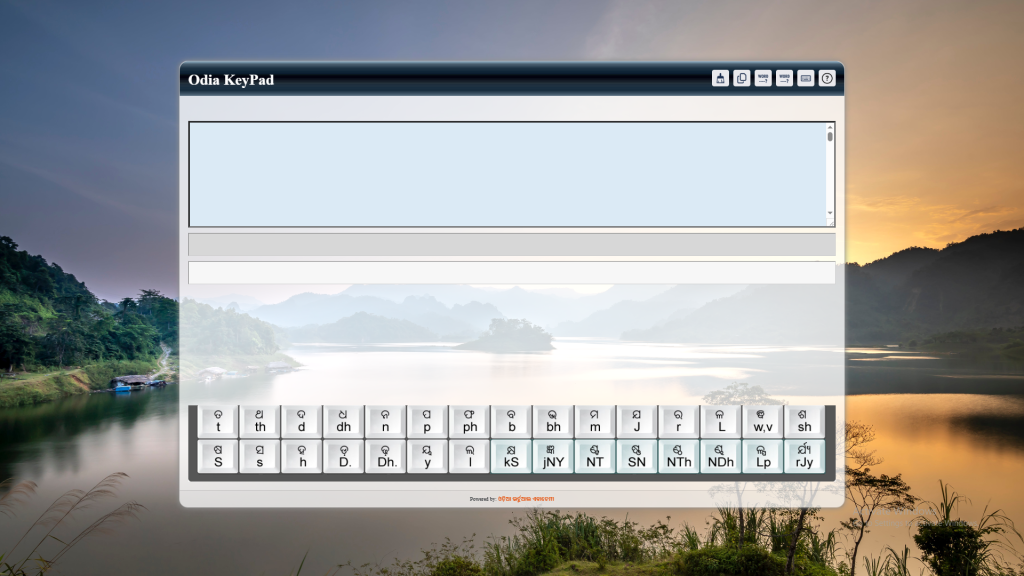
How to Use the Alternative Akruti Odia Keyboard?
Using the Alternative Akruti Odia Keyboard is simple and does not require any complex setup. Follow these steps to get started:
1️⃣ Visit the official website by clicking the link below.
2️⃣ Select the keyboard layout of your choice (Phonetic, Inscript, or Remington).
3️⃣ Start typing in Odia with ease.
🎯 Try it now! 👉 Click Here to Visit
Akruti7.0 – Get More Features for Advanced Odia Typing
If you’re looking for additional features, you can check out Akruti7.0, an advanced version of the Odia typing software. It offers enhanced compatibility, extra fonts, and more customization options.
For details and inquiries about Akruti7.0, contact:
📞 Satya IT Solution – WhatsApp: +91 9124547067