
-
 October 10, 2025
-
0 Comments
-
By
satyaitsolution


 By
By Windows 10 Support Ends October 14, 2025 — Time to Upgrade to Windows 11
🚨 Windows 10 Support Ends October 14, 2025 — Time to Upgrade to Windows 11!
Microsoft has officially confirmed that Windows 10 will reach the end of support on October 14, 2025. That means, after this date, no more security updates, no feature upgrades, and no official technical support will be available for Windows 10 users.
This marks the end of an era — but also the start of a faster, more secure, AI-powered computing experience with Windows 11.
🕒 What Happens After October 14, 2025?
If your PC is still running Windows 10 after this date:
- You won’t receive any security updates through Windows Update.
- Your computer will become more vulnerable to malware, phishing, and ransomware attacks.
- Many apps and games will begin phasing out Windows 10 support.
- You might not be able to use new Microsoft features, such as Copilot, Recall, or advanced cloud sync.
Microsoft has made the final Windows 10 version 22H2, and that’s it — no more updates.
🧩 Extended Security Updates (ESU)
Microsoft will offer Extended Security Updates (ESU) for businesses and certain consumers — but these come with conditions.
- ESU will last until October 13, 2026, and include critical security fixes only.
- For most users, it will not be free (except possibly in the EU).
- You’ll need to manually enroll in the ESU program to stay protected.
So while ESU buys some time, it’s not a long-term solution.
💡 Why Upgrade to Windows 11 Now
Upgrading early ensures you stay secure — and also gives you access to powerful new tools and optimizations:
🔐 Stronger Security
Windows 11 has enhanced TPM-based protection, secure boot, and Windows Hello for password-free sign-ins.
⚙️ Better Performance
It’s built to work seamlessly with modern hardware — faster wake times, better battery life, and smoother multitasking.
🤖 Smarter Experience
The built-in Copilot and AI-enhanced features like Recall (on Copilot+ PCs) make work, creativity, and productivity simpler and faster.
🎨 Modern Interface
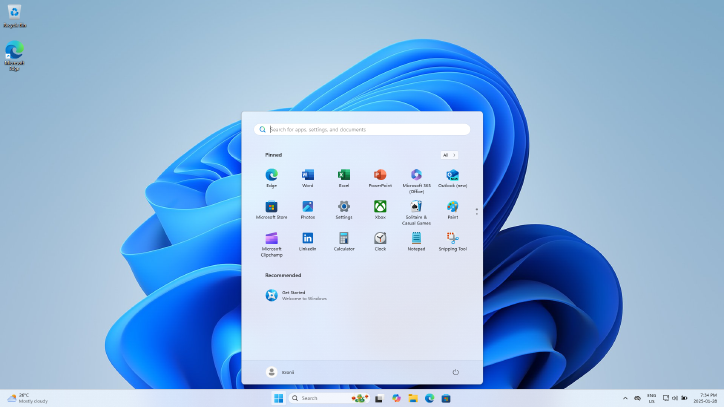
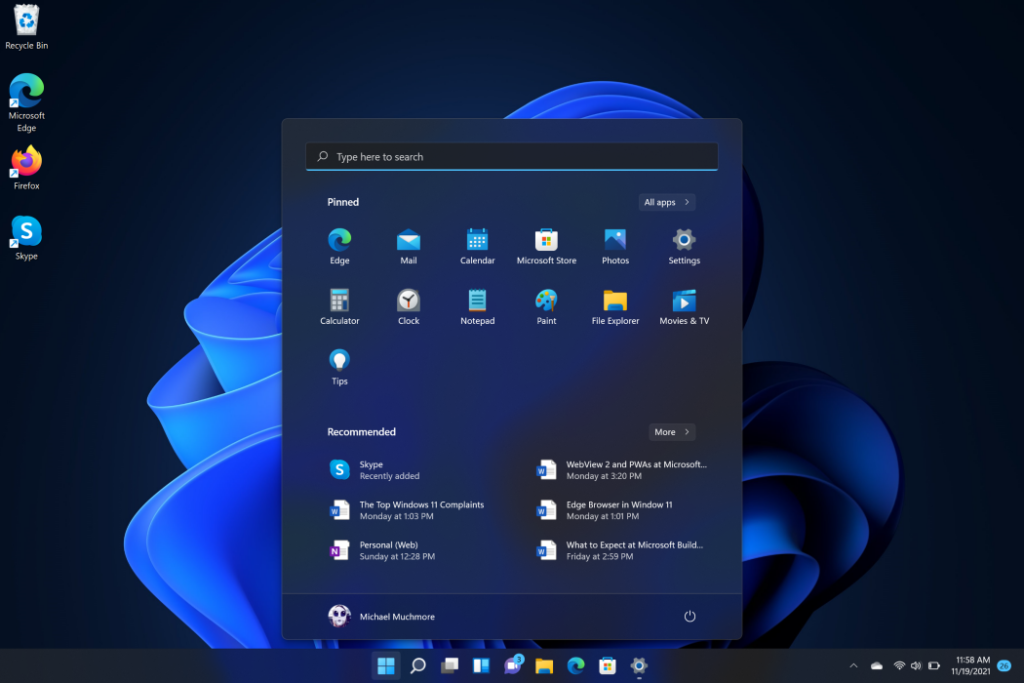
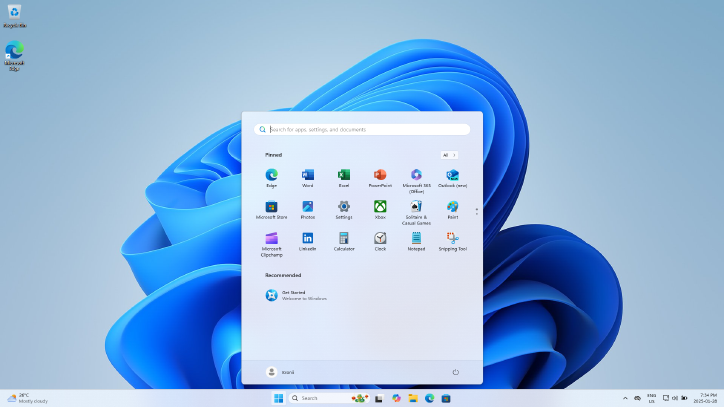
Windows 11 offers a cleaner, centered taskbar, fluid design, rounded corners, and improved window management (Snap layouts and desktops).
🚀 How to Upgrade to Windows 11 Quickly
Upgrading is easier than you might think:
Visit the official Microsoft download page to create installation media or use the Windows 11 Installation Assistant.
Check Compatibility
Go to Settings → Update & Security → Windows Update → Check for updates.
Or use the PC Health Check App to confirm your device supports Windows 11.
Backup Your Files
Use OneDrive or an external drive to secure important data.
Upgrade via Windows Update
If eligible, you’ll see the option to Download and Install Windows 11.
Follow the on-screen steps — the process takes 30–60 minutes depending on your system.
Alternative: Installation Assistant or ISO
The countdown has begun — Windows 10 officially retires on October 14, 2025.
Upgrading to Windows 11 ensures your PC remains secure, supported, and future-ready.
If your hardware doesn’t support Windows 11, consider:
- Joining the Extended Security Update program, or
- Moving to a Windows 11-ready device for a smooth, modern experience.
Don’t wait for the deadline — upgrade now and stay ahead of the curve.
Full SEO Blog Post
🚨 Windows 10 Support Ends October 14, 2025 — What You Need to Know
Microsoft has confirmed that Windows 10 will officially reach the end of support on October 14, 2025. After this date, your PC will no longer receive security or feature updates, leaving it exposed to online threats.
If your computer still runs Windows 10, now is the time to upgrade to Windows 11 and ensure your system remains fast, safe, and supported.
⚠️ What Happens After October 14, 2025?
When Windows 10 reaches end of life:
- ❌ No more security updates or bug fixes
- ❌ No technical support from Microsoft
- ❌ Apps and games may stop working properly
- ⚠️ Increased cybersecurity risks from unpatched vulnerabilities
The final Windows 10 version is 22H2, and it will no longer be serviced beyond the October 2025 deadline.
🧩 Extended Security Updates (ESU) Program
For users who can’t upgrade immediately, Microsoft offers Extended Security Updates (ESU) — a paid service that delivers critical fixes until October 13, 2026.
However, ESU won’t add new features, and it’s not a long-term solution for most home users.
💡 Why You Should Upgrade to Windows 11 Today
🔐 Enhanced Security
Windows 11 introduces next-generation protection with TPM 2.0, Secure Boot, BitLocker, and Microsoft Defender integration.
⚙️ Improved Performance
Optimized for new hardware, Windows 11 delivers faster boot times, better battery life, and smarter memory management.
🤖 Smarter Experience with AI
Enjoy Windows Copilot, Recall, and other AI-powered tools that streamline daily work and creativity.
🎨 Modern Design
A minimalist interface with rounded corners, centered taskbar, and improved multitasking via Snap Layouts and Virtual Desktops.
🚀 How to Upgrade to Windows 11 Quickly
- Check Compatibility
- Use the PC Health Check App or go to Settings → Update & Security → Windows Update.
- Backup Important Data
- Use OneDrive or an external drive.
- Upgrade via Windows Update
- If eligible, click Download and Install Windows 11.
- Alternative: Installation Assistant or ISO
- Visit Microsoft’s official Windows 11 download page.
🧭 Final Thoughts
The Windows 10 era ends on October 14, 2025.
To stay secure and compatible with new apps, upgrade to Windows 11 before the deadline.
If your current device doesn’t meet system requirements, consider purchasing a Windows 11 PC or enrolling in the Extended Security Updates program temporarily.
✅ Quick Summary
- 🗓️ Windows 10 support ends: October 14, 2025
- 🔒 No more updates or security fixes after that date
- 🧠 Windows 11 offers: AI tools, security, speed, modern UI
- 🚀 Upgrade now for the best experience
🏷️ Suggested Tags for Blog
#Windows10EndOfSupport #Windows11Upgrade #MicrosoftUpdates #TechNews2025 #WindowsSecurity #Windows11Features