
-
 September 26, 2026
-
0 Comments
-
By
satyaitsolution


 By
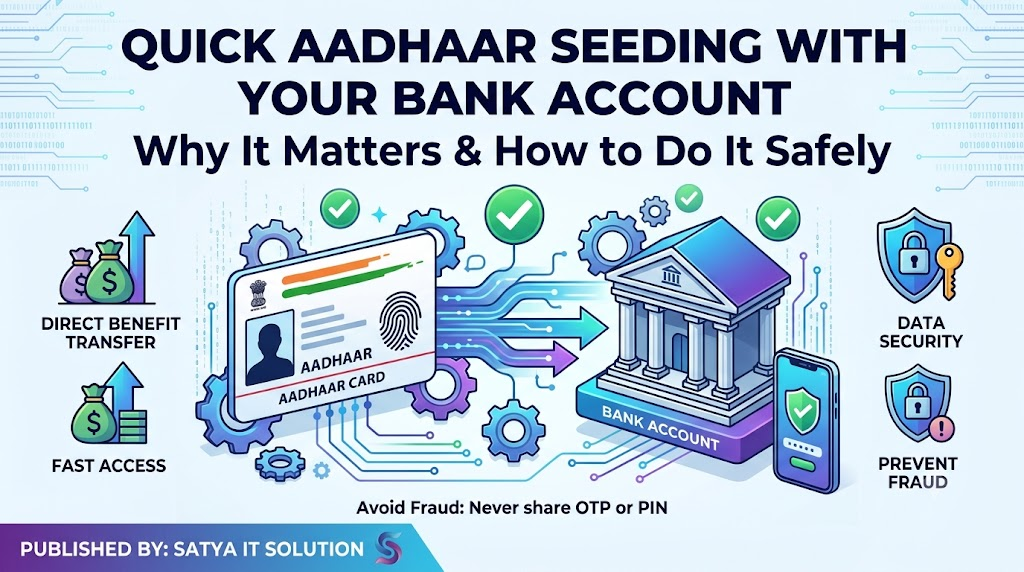
By Quick Aadhaar Seeding with Your Bank Account: Why It Matters and How to Do It Safely
Quick Aadhaar Seeding
Published by: Satya IT Solution
Website: Satya IT Solution Blog
Category: Digital Awareness | Banking | Aadhaar | Government Services
In today’s digital India, Aadhaar has become an important identity document for accessing many government and financial services. One common requirement for receiving certain benefits, subsidies, Direct Benefit Transfer (DBT) payments and other services is linking or seeding your Aadhaar number with your bank account.
Aadhaar seeding means associating your Aadhaar number with a bank account through the banking system. Depending on the service, simply updating Aadhaar in your bank records may not always be the same as having the account enabled for Aadhaar-based DBT. Therefore, customers should understand the process and verify the status with their bank.
What Is Aadhaar Seeding?
Aadhaar seeding is the process of linking your Aadhaar number with your bank account and, where applicable, having the Aadhaar mapped for receiving eligible DBT benefits.
The process may involve:
- Submitting an Aadhaar linking request to your bank.
- Completing the bank’s required verification process.
- Giving consent where required.
- The bank updating its records.
- Aadhaar being mapped for eligible DBT transactions through the applicable banking infrastructure.
Customers should always confirm with their bank whether Aadhaar has been successfully seeded and whether the account is enabled for the particular benefit they are expecting.
Why Should You Seed Aadhaar With Your Bank?
Aadhaar-bank seeding can be important for people who receive government benefits through DBT. Various government schemes may use bank accounts for transferring eligible payments directly to beneficiaries.
Depending on the scheme and eligibility, Aadhaar-related bank mapping may help facilitate:
1. Direct Benefit Transfer
Eligible government benefits can be transferred directly into a beneficiary’s bank account through DBT mechanisms.
2. Easier Access to Certain Services
Some government and financial services may require Aadhaar details to be linked with a bank account as part of their prescribed process.
3. Reduced Risk of Payment Delays
If a scheme specifically requires Aadhaar-based bank mapping, an incomplete or incorrect seeding status can sometimes create problems with benefit payments. Keeping your bank and Aadhaar information updated can help avoid unnecessary issues.
4. Better Record Management
Correctly updated identity and bank information can make it easier for customers to manage services associated with their bank account.
How Can You Seed Aadhaar With Your Bank Account?
The exact procedure differs from bank to bank. Customers should follow the official process provided by their bank.
Common options may include:
Visit Your Bank Branch:
Carry your Aadhaar document and bank account details. Ask the bank staff for the Aadhaar linking/seeding facility and complete the required form or consent process.
Internet Banking or Mobile Banking:
Some banks provide an Aadhaar linking option through their official internet banking or mobile banking platforms.
ATM or Other Banking Channels:
Certain banks may provide Aadhaar linking facilities through ATMs or other authorized channels.
Banking Correspondent/Customer Service Point:
Where available, customers may receive assistance through authorized banking correspondents or service points. Always verify that the service provider is authorized.
Important: Linking Is Not Always the Same as DBT Mapping
This is one of the most important points customers should understand.
Aadhaar may be recorded in a bank’s customer account information, but DBT-related Aadhaar mapping can involve a separate banking process. Therefore, if you are waiting for a government benefit, do not assume that simply updating Aadhaar details automatically guarantees receipt of the benefit.
Ask your bank:
“Is my Aadhaar seeded with my account, and is my account mapped/active for Aadhaar-based DBT where required?”
The bank can provide the appropriate status based on its records and the applicable process.
How to Check Your Aadhaar Seeding Status?
Customers should use official channels to verify their status.
You can:
- Contact your bank branch.
- Check the relevant option through your bank’s official digital banking service, if available.
- Use official government/Aadhaar-related services where applicable.
- Ask an authorized banking service provider for assistance.
If the status is not updated, contact your bank rather than repeatedly submitting requests through unknown websites or individuals.
Keep Your Mobile Number Updated
Your mobile number is important for receiving banking and service-related alerts.
Make sure your bank has your current mobile number. Also keep your Aadhaar information updated as required.
If you receive an SMS, email or call concerning Aadhaar seeding, do not automatically trust it. Verify the information through the official bank website, official app or branch.
Beware of Aadhaar and Banking Fraud
Aadhaar-related services are increasingly targeted by fraudsters. Never share sensitive information simply because someone claims that your Aadhaar seeding is pending.
Never share your:
- ATM/debit card PIN
- UPI PIN
- Internet banking password
- OTP
- ATM/card details
- CVV
- Banking login credentials
A legitimate service provider should not need your UPI PIN or ATM PIN to perform normal Aadhaar seeding.
Beware of Fake Links
Fraudsters may send messages such as:
“Your Aadhaar is not linked with your bank. Click here immediately to avoid account closure.”
Such messages can contain fake links designed to steal banking information.
Do not click suspicious links. Instead, open your bank’s official website or mobile application directly.
Do Not Give Aadhaar Details to Unknown Persons
Aadhaar is an important identity document. Do not unnecessarily share copies or personal information with unknown individuals.
If an authorized service requires Aadhaar, understand why it is being requested and follow the prescribed process.
When submitting a photocopy, you may consider using a purpose-specific notation where appropriate, so that the copy is not easily reused for another purpose.
What To Do If Aadhaar Seeding Fails?
If your request is unsuccessful, do not panic.
First, contact your bank and ask for the exact reason. Possible issues may include incorrect account information, incomplete verification, mismatched details or a technical issue.
Correct the information as instructed by the bank and request an updated status.
If the matter concerns a specific government scheme, also check the scheme’s official requirements and beneficiary records.
Awareness for Senior Citizens and Rural Customers
Senior citizens, rural residents and people who are less familiar with digital banking should be particularly careful.
Do not allow an unknown person to operate your mobile banking account or disclose OTP/PIN information.
If assistance is required, use your bank branch or a trusted and authorized banking service point/CSC.
Take your time and read the transaction or consent screen before approving anything.
Quick Aadhaar Seeding Safety Checklist
Before completing Aadhaar-bank seeding, remember:
✅ Use only official bank channels.
✅ Verify the bank account number carefully.
✅ Keep your mobile number updated.
✅ Ask whether Aadhaar is only linked or also mapped for DBT, where applicable.
✅ Keep acknowledgement/reference details if provided.
✅ Never share OTP, UPI PIN, ATM PIN or passwords.
✅ Avoid suspicious SMS and WhatsApp links.
✅ Contact your bank if the status does not update.
✅ Do not pay unknown persons for unofficial “activation” services.
✅ Check your bank statement/SMS alerts regularly.
Final Awareness Message
Aadhaar seeding with your bank account can be an important step for accessing certain services and receiving eligible government benefits through DBT. However, customers should complete the process through authorized channels and verify the actual status with their bank.
Do not share your OTP, PIN, password or other confidential banking information with anyone. A quick verification today can help protect your account from fraud and prevent avoidable service-related problems.
Stay Alert. Stay Secure. Use Digital Services Safely.
Satya IT Solution – Digital Awareness
Satya IT Solution promotes awareness about digital services, online safety, websites, digital marketing, e-governance and technology services.
For digital service assistance, always use authorized and trusted channels and verify important information from official sources.
Disclaimer: This article is for general public awareness and educational purposes. Aadhaar, banking and DBT procedures may vary by bank, scheme and applicable rules. Readers should confirm the latest requirements with their bank and the relevant official government authority before taking action.